
Screw Out 3D: Nut Sort Jam
Unico StudioPuzzle
4.74.18K Reviews
- Version
- 2.9
- Installs
- 5.00M
- Age Rating
- Everyone
Screenshots

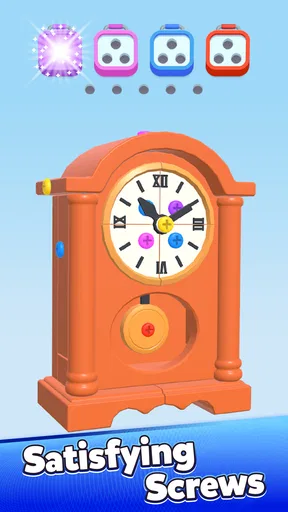
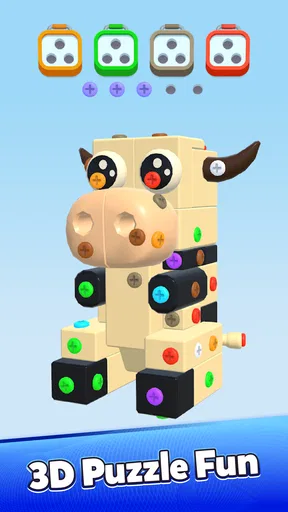

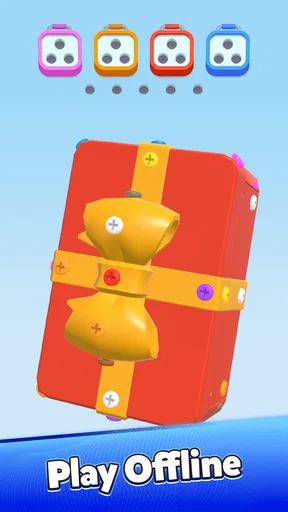
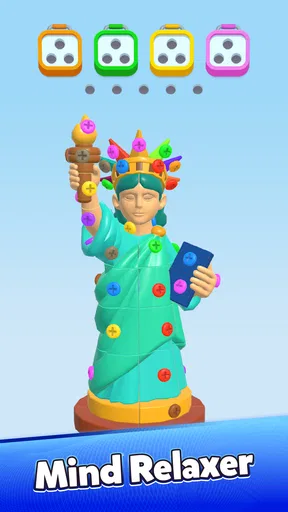
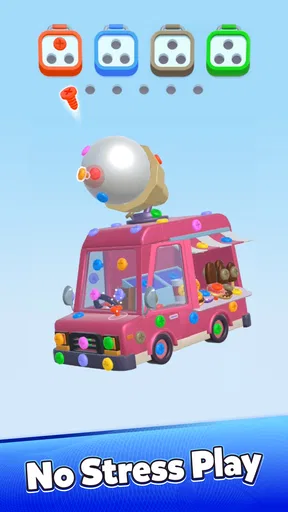
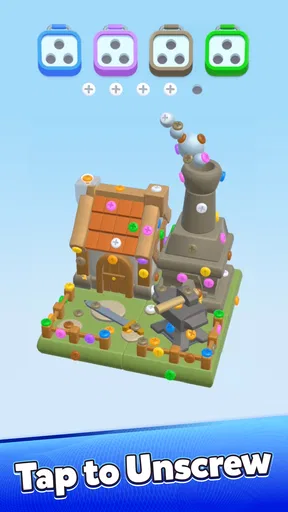
Our Review of Screw Out 3D: Nut Sort Jam
 Analysis by Appyee
I found Screw Out 3D: Nut Sort Jam most interesting when I treated it as a short-focus puzzle rather than a game I needed to rush through. The idea is easy to understand: you work through a three-dimensional arrangement involving screws, nuts, and sorting decisions, trying to clear the layout without making a move that leaves the remaining pieces trapped. That simple premise creates a surprisingly careful rhythm. I often knew what I wanted to move next, but the real challenge was deciding whether that move would make the following few steps easier or impossible.
It is a free puzzle game from Unico Studio, aimed at an Everyone audience and available on devices running Android 6.0 or later. The current version is 2.7, and its strong reception is reflected in an average rating of 4.6 from around 182 thousand ratings, with more than a million installs. Those figures suggest that the game has reached a broad audience, but they do not replace the more useful question: does its particular style suit the way you like to play?
What happens when a level stops feeling obvious
The first place I expect many players to get stuck is not the basic control scheme. It is the moment when a puzzle looks almost solved, yet one badly chosen piece leaves no useful route forward. Three-dimensional layouts are good at hiding consequences. A screw or nut that appears available may be part of the structure supporting another move, so removing it immediately can create a more awkward board instead of opening the path.
My most reliable approach was to pause before touching anything and scan the whole arrangement. I looked for pieces that were visibly exposed, then checked whether moving one would reveal a matching destination or merely shift the problem somewhere else. This small delay matters because the game rewards planning more than frantic tapping. If you normally play match-three titles by reacting to whatever appears, the spatial sorting here may initially feel slower and less forgiving.
Another common sticking point is visual depth. A piece can look close because it is large on the screen, while its actual position in the arrangement makes it a poor first choice. I found it useful to follow the structure from the outside inward, identifying what is genuinely free rather than what only appears prominent from the current angle. That habit reduces random moves and makes the puzzle easier to read.
The best early move is often the one that creates options, not the one that removes the most pieces. Clearing a visible item feels satisfying, but an apparently modest move can be stronger if it exposes several future choices. I started judging progress by the number of workable routes left on the board, rather than by how much had disappeared after one tap.
Why the relaxing promise has a limit
The game can be calming when I give each layout enough attention, especially during a short break or while waiting for an appointment. The sorting theme and tactile-looking objects make the task easy to enter without a long tutorial. At the same time, “relaxing” depends heavily on the level in front of you. A crowded arrangement can turn a quiet session into a concentration test, particularly if I have already made several uncertain moves.
That contrast is important for deciding whether to install it. Players who enjoy untangling spatial problems will probably appreciate the gradual pressure. Players looking for a completely passive distraction may prefer a simpler matching game, a word puzzle with unlimited guesses, or a title where mistakes do not affect the rest of the board. This is still a casual game, but casual does not mean consequence-free.
The small habits that prevent avoidable dead ends
I developed a few practical habits that made the experience more consistent. First, I checked the edges and uppermost visible pieces before working in the center. Second, I kept track of which colors or shapes were already close to a useful grouping instead of scattering them across the board. Third, I avoided committing a piece merely because its destination looked available; I checked whether placing it would block access to another route.
A fourth habit was to use a mental “next two moves” test. Before selecting a piece, I asked whether I could name not only the immediate result but also a sensible follow-up. If I could not, I treated that move as a warning rather than an opportunity. This is especially helpful when the board contains several similarly tempting objects.
I also found that rotating my attention around the layout, even without physically changing the view, helped prevent tunnel vision. Instead of staring at one promising cluster, I compared it with the opposite side of the puzzle. Sometimes the apparently difficult section was waiting for a simpler move elsewhere. That is a useful distinction between a genuine blockage and a board that only feels blocked because I am focusing too narrowly.
Setup checks before blaming the puzzle
Because this is a mobile game, a frustrating session is not always caused by the level design. Before assuming that a tap failed or that a move was ignored, I would check the basics: confirm that the device meets the Android requirement, make sure the game has finished installing correctly, and close other demanding apps if the phone is behaving unusually. The minimum supported Android release is 6.0, so older or heavily burdened devices deserve a little more patience during setup.
I also recommend beginning with a stable connection if the game is being installed or updated. Even when the puzzle itself feels self-contained, an incomplete installation can produce odd behavior that looks like a gameplay problem. Restarting the app after an update is a simple step, but it is one I often skip. If the screen feels unresponsive, I first distinguish between a delayed touch response, a visual animation that has not finished, and a move that the puzzle is rejecting because the piece is not actually selectable.
Screen size can affect comfort too. On a smaller phone, three-dimensional objects may be harder to distinguish when several overlap. I found that cleaning the screen, holding the device steadily, and tapping the center of a clearly exposed object reduced accidental selections. On a larger display, the issue can be different: the board may be easier to see, but one-handed play may become less precise. A short pause to reposition the phone is more useful than repeating the same tap.
Players should also know what the free download means in practical terms. The game costs nothing to install, while optional in-app purchases range from $0.99 to $99.99 per item. I would approach those options deliberately rather than treating them as part of the normal puzzle loop. If you are setting the game up for a child, the Everyone content rating does not remove the need to review purchase controls on the device. That is a general household safeguard, not a criticism of the puzzle itself.
Recovering a session without making the problem worse
When I reached an awkward position, my first instinct was sometimes to keep tapping and hope the board would reveal a solution. That usually made the situation harder to understand. A better workflow is to stop, identify the last move that changed the structure, and reconsider whether the current arrangement still has a clean route. If the game offers a way to restart or retry the level in your session, using it early is often more productive than spending several minutes defending a weak opening.
I would not restart after every imperfect move. Some layouts remain recoverable even when the order is not ideal, and learning to recognize that is part of the challenge. I restarted when the remaining pieces had become isolated, when I had blocked the only visible route, or when I could no longer explain how the next move would lead toward a useful grouping. That decision rule kept retries purposeful instead of emotional.
For a particularly stubborn board, I used a slower recovery method. I stopped looking for the final solution and instead searched for the safest reversible-looking action: a move that exposed something without consuming a rare opening or closing a narrow passage. Then I reassessed the entire layout. This is more reliable than focusing on the one color or object that seems closest to completion.
If the game appears to freeze during a move, I would avoid immediately tapping repeatedly. Multiple touches can make it difficult to tell what the app registered. I waited briefly, checked whether the board animation had completed, and then tried one deliberate tap. If the issue continued across different levels, I would close and reopen the game, verify that it is up to date, and restart the device before concluding that the particular puzzle is broken.
When the app is not actually the cause
Some complaints that sound like game faults are really expectation mismatches. A player may think an object is selectable because it is visible, while the layout considers it covered or structurally unavailable. Another player may expect a sorting move to be accepted because the colors look similar, even though the game is distinguishing between pieces more precisely than the player noticed. In both cases, the software may be responding consistently while the visual hierarchy is difficult to read.
Lighting and display settings can contribute to that confusion. Reflections, low brightness, or an aggressive color filter can make neighboring pieces blend together. I had better results with the screen at a comfortable brightness and with the phone held directly in front of me rather than at an angle. This is a small adjustment, but it matters in a game where depth and color are doing much of the communication.
Performance can also be affected by the phone rather than by the puzzle. Limited free storage, many background processes, or an overheated device can lead to delayed input and stuttering. If other apps are also sluggish, I would treat the problem as a device-maintenance issue first. If only this game behaves strangely after a clean restart and a fresh level, then a more specific troubleshooting step may be justified.
There is another source of friction: attention. Playing while walking, commuting in a crowded place, or switching constantly between messages makes it easy to misread the board. I made more mistakes when I treated the game as something to operate with half my focus. It works better as a compact concentration break: a few uninterrupted minutes, a stable grip, and enough time to inspect the arrangement before moving.
How it compares with familiar puzzle alternatives
Compared with a standard match-three game, this one asks for more spatial awareness and less rapid pattern recognition. Match-three titles usually let me recover from a poor choice because new pieces arrive and the board changes continuously. Here, the existing arrangement is the main problem to solve, so each decision has more local weight. If you enjoy planning around fixed objects, that difference is a strength. If you prefer constant movement and quick rewards, the pace may feel restrictive.
It also differs from a traditional jigsaw puzzle. A jigsaw gives me a clear final image and usually allows broad experimentation. The nut-and-screw sorting format is more procedural: I am managing access, order, and available routes rather than assembling a picture. That makes it a better fit for someone who likes untangling a mechanism, while a visual-image puzzle may be more satisfying for someone who wants a recognizable result.
Against word puzzles, the appeal is tactile and visual rather than language-based. I can play without searching for vocabulary or interpreting clues, which makes it approachable when I am tired. The trade-off is that the three-dimensional layouts can be harder to explain or review mentally than a grid of letters. I would choose this game for a hands-on sorting mood, not for a quiet, purely verbal challenge.
It is also less suitable than an endless, low-pressure puzzle for players who dislike retries or purchase prompts in free games. The free entry is convenient, but the optional item range means I would keep an eye on spending settings. Someone seeking a completely uninterrupted premium experience may be happier paying once for a different puzzle, provided that alternative offers the style of play they want.
Who will get the most from it
I think the game suits people who enjoy compact logic challenges, especially those who like to inspect a board before acting. It works well for a short evening session, a break between tasks, or a quiet commute when I can give the screen my full attention. The Everyone rating also makes it broadly approachable, although younger players may still need help understanding why a visible piece is not always the correct piece to move.
A realistic use case is a ten-minute break after finishing a routine task. I can open the game, examine one layout, and focus on a contained problem without needing to remember a long story or manage a complicated character system. The same quality can become a weakness if I am trying to play while distracted. The game benefits from attention, so it is not my first choice for background entertainment.
I would suggest skipping it if you want competitive multiplayer, a narrative campaign, or a puzzle that changes rapidly with every tap. I would also look elsewhere if you become irritated by trial and error. The three-dimensional sorting idea is appealing precisely because order matters, and that means some failed attempts are part of the experience rather than an accidental inconvenience.
My practical verdict after using it
Screw Out 3D: Nut Sort Jam is a focused casual puzzle with a clear identity: it turns sorting into a small spatial-planning exercise. I liked that the most satisfying progress came from understanding the arrangement, not from tapping as quickly as possible. The strongest tip I can offer is to protect future options. Scan the board, prefer moves that open routes, and restart only when the position has genuinely lost a workable structure.
Its limitations are equally clear. Visual depth can make available and unavailable pieces difficult to distinguish, distracted play leads to avoidable mistakes, and the free-to-install model includes optional purchases from $0.99 to $99.99 per item. Those points do not ruin the experience, but they should shape how you set it up and how you play it. I would keep purchase safeguards in place and treat troubleshooting as a short checklist rather than assuming every awkward move is a technical failure.
For me, this is a good recommendation for someone who wants a tactile puzzle that can fill a short break while still rewarding careful thought. It is not the best match for people seeking a completely effortless time-killer or a fast, constantly changing board. If you enjoy planning two moves ahead and finding order in a crowded three-dimensional layout, Unico Studio’s game is worth trying for free. Its real appeal appears when you stop chasing the quickest clear and start protecting the next available choice.
Privacy and Permissions
See what permissions an app requests and how it handles your data.
- Phone
- read phone status and identity
- Photos/Media/Files
- read the contents of your USB storage
- Storage
- read the contents of your USB storage
- Wi-Fi connection information
- view Wi-Fi connections
- Device ID & call information
- read phone status and identity
- Other
- view network connections, full network access, control vibration, prevent device from sleeping, Google Play license check
Verdict
Strengths of Screw Out 3D: Nut Sort Jam
- Simple controls make it easy to start playing immediately.
- Short levels are convenient for quick gaming sessions.
- Bright 3D visuals make the screws and nuts easy to identify.
- Gradual challenges help introduce the sorting mechanics naturally.
- Offline play is useful when you have no internet connection.
Limitations of Screw Out 3D: Nut Sort Jam
- Frequent ads may interrupt the game between levels.
- Some puzzles can feel repetitive after extended play.
- Later stages may rely more on trial and error than strategy.
- The game may become less challenging for experienced puzzle players.
- Extra content and features may require in-app purchases.
Other Releases by Unico Studio
View All
Brain Test 2: Tricky Stories
Trivia4.7

Brain Test: Tricky Puzzles
Trivia4.7

Who is? Brain Teaser & Riddles
Trivia4.7

Brain Test 3: Tricky Quests
Trivia4.7
Similar Picks in This Category
View All
Block Blast!
HungryStudio4.8

Braindom: Brain Games Test
Lahana Game Studio4.6

AMAZE!
CrazyLabs LTD4.6

Sudoku - Classic Sudoku Puzzle
Oakever Games4.7

Art Puzzle - Puzzle Games
Easybrain4.8

Amaze GO!
Oakever Games4.9
Frequently Asked Questions
What is Screw Out 3D: Nut Sort Jam?
Screw Out 3D: Nut Sort Jam is a casual puzzle game focused on removing screws, organizing nuts, and solving mechanical-style challenges. Each level presents objects, bolts, and colored pieces that must be handled in the correct order. The game starts with simple layouts, then gradually introduces tighter spaces, more obstacles, and puzzles that require planning rather than random tapping.
How do you play Screw Out 3D: Nut Sort Jam?
Gameplay is based on observing the level, tapping screws or nuts, and deciding where each piece should go. You generally need to match colors, clear blocked parts, and avoid filling available spaces too early. A successful solution depends on choosing the right sequence of moves. Later stages can require several steps ahead, so rushing may leave important pieces trapped or create an unsolvable arrangement.
Is Screw Out 3D: Nut Sort Jam free to download and play?
The game can generally be downloaded without an upfront purchase, allowing players to try its basic levels and mechanics for free. However, free versions of this type of puzzle game commonly include advertising, optional rewards, or in-app purchases. Before downloading, check the store listing for the current pricing, available purchases, and whether an ad-free option or extra hints is offered.
Does Screw Out 3D: Nut Sort Jam work offline?
Many of the core puzzles can often be played without a continuous internet connection, which makes the game suitable for short sessions while traveling or when mobile data is unavailable. Nevertheless, advertisements, cloud saving, updates, special events, and purchases may require internet access. Offline availability can also vary between versions, so it is wise to test the game after installation rather than assuming every feature works offline.
Is Screw Out 3D: Nut Sort Jam suitable for children?
The game is easy to understand and does not usually require advanced reading skills, making its basic puzzle concept accessible to many younger players. However, parents should review the listed age rating, advertising practices, and in-app purchase settings before allowing unsupervised play. Some levels may become challenging, and frequent ads or optional purchases can affect the experience, particularly for children using a shared device.
Play our best games!


